 Skip to content
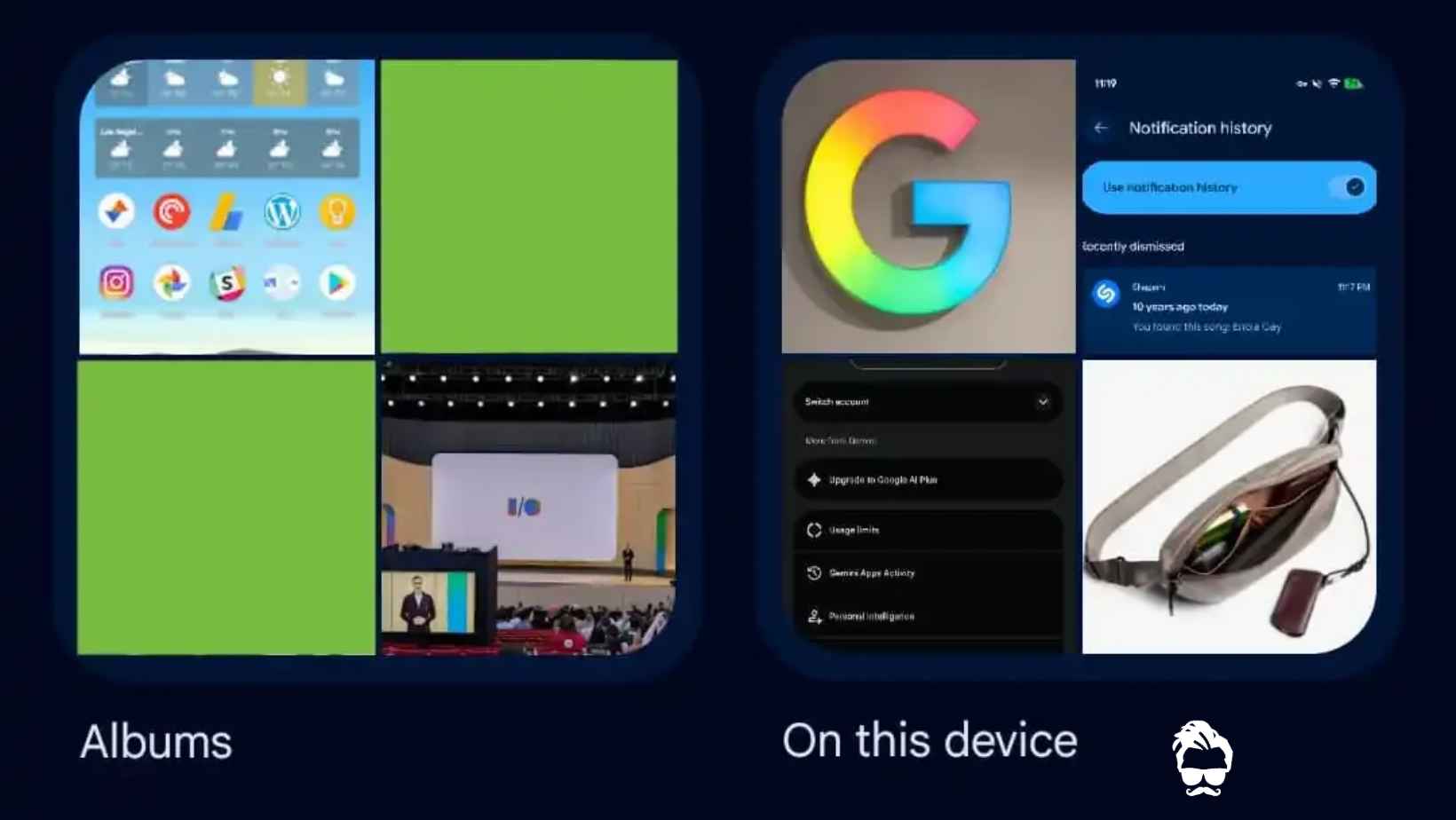
Google is rolling out a significant redesign of the Collections tab in its Google Photos app for Android and iOS. The update gives users greater control over how their albums, photos, documents and other content are organized.
The redesign follows the introduction of a floating navigation bar in July 2026. Unlike the previous layout, which displayed a largely predefined set of shortcuts and collection cards, the new interface focuses on personalization.
Users can now choose which sections appear on the page, pin frequently used shortcuts and rearrange the order of different collections. The changes are designed to make it easier to access frequently used content without navigating through unnecessary sections.
 Oppo Find X10 Pro Max vs iPhone 18 Pro Max: Price, Camera, Battery and Performance Compared
New Pinned Section Lets Users Customize Shortcuts
One of the biggest changes is the introduction of a section called Pinned. It allows users to select which shortcuts appear prominently on the Collections page.
By default, the pinned carousel includes three shortcuts:
- Favorites
- Screenshots
- Trash
Users are not limited to the default arrangement. They can customize the pinned content according to their preferences or remove the entire Pinned section if they do not need it.
This gives users more flexibility to prioritize the parts of Google Photos they access most frequently.
Users Can Hide and Rearrange Collection Sections
Below the Pinned section, Google Photos displays carousels for several types of content, including:
- On this device
- Albums
- People & pets
- Wardrobe
- Places
- Documents
The redesigned interface also introduces a View all option in the top-right corner of these sections. It allows users to jump directly to the complete grid or list view for the relevant collection.
 Samsung Galaxy F70 5G Launch Date Confirmed: 50MP OIS Camera, AMOLED Display and 5,000mAh Battery
Another important improvement is the ability to hide individual sections. Users can also rearrange their order, making it possible to organize the Collections tab around their own habits rather than Google’s default layout.
For example, someone who frequently accesses albums and documents can prioritize those sections, while users who rarely use Wardrobe or Places can hide them from the main page.
Other Collections Grid Brings More Content Together
The bottom portion of the redesigned page contains an Other Collections grid. It brings together additional shortcuts and content categories in one place.
The grid includes:
- Favorites
- Screenshots
- Moments
- Videos
- Recently Added
- Stickers
- Creations
- Archive
- Locked
- Trash
A Reorder button appears at the very bottom of the page, giving users another way to customize the arrangement of their collections.
Overall, the new layout offers a more flexible approach to content organization while keeping commonly used categories accessible.
How Was the Previous Google Photos Layout Different?
The previous Collections tab began with a 2×2 grid. Favorites and Trash appeared at the top, while two other shortcuts could change depending on usage patterns.
Below this grid, Google displayed large cards for categories such as Albums, On this device, People & pets, Wardrobe, Documents, Places, Stickers and Moments.
On Android, the page also included a list of additional shortcuts, such as Screenshots, Videos, Recently Added, Archive and Locked.
The new design replaces much of this fixed structure with customizable carousels, a Pinned section and controls for hiding and rearranging content. This gives users greater control over the appearance of the page.
Google Photos Redesign: How to Get the Update
The redesigned Collections tab is rolling out widely with the following app versions:
- Android: Google Photos 7.97
- iOS: Google Photos 7.98
However, installing the latest version may not immediately activate the new interface for every user, as the rollout also involves server-side changes.
During testing, the redesign reportedly appeared on Android after restarting the device and reopening Google Photos, without the usual need to force-stop the application.
If the new interface is not yet available on your device, check for an app update and try reopening Google Photos later. Availability may depend on Google’s rollout schedule.
Why the New Collections Tab Matters
The redesign makes Google Photos more adaptable to individual needs. Instead of presenting the same collection layout to everyone, the app now gives users more control over the shortcuts and sections they see.
The ability to pin frequently used categories, hide unwanted sections and rearrange content could make the app easier to navigate, particularly for people who store large photo libraries and use Google Photos for more than just viewing pictures.
As the rollout continues across Android and iOS, users can expect a more personalized Collections experience once the updated interface becomes available on their devices.
Read in App ★ Free
