Skip to content
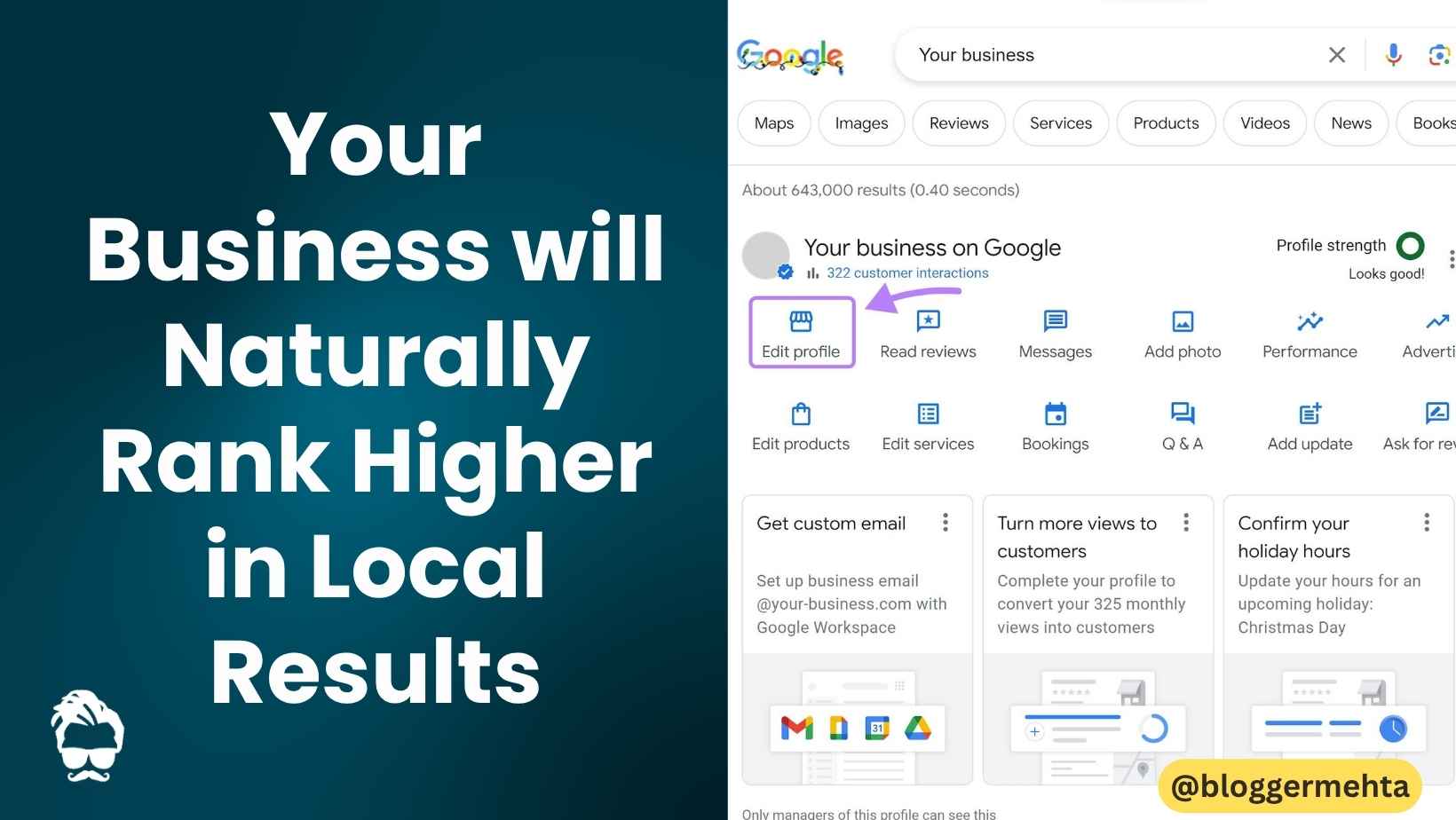
When someone searches for a service “near me,” Google shows local results on Google Maps and Search. Whether it’s “Italian restaurant,” “salon near me,” or “property dealer,” your visibility depends on how well your Google Business Profile is optimized.
Here’s a practical, no-nonsense guide to help your business rank better locally.
1) Keep Your Business Information Accurate & Complete
Google favors listings that are complete and consistent.
Make sure you’ve filled out:
- Business name (exact, no keyword stuffing)
- Full address (for walk-in locations)
- Phone number (working and consistent everywhere)
- Category (primary + secondary)
- Services/products
- Attributes (Wi-Fi, parking, wheelchair access, etc.)
Why it matters: Better data = better matching for relevant searches.
2) Verify Your Business Profile
Unverified listings have limited visibility and trust.
- Complete the verification (postcard, phone, email depending on eligibility)
- Once verified, you unlock insights, posting, and review management
Tip: Verification is a baseline requirement don’t skip it.
3) Keep Your Hours Updated (Especially Holidays)
Incorrect hours = poor user experience and fewer clicks.
- Update regular hours
- Add special hours for holidays or events
- Use “temporarily closed” only if truly needed
4) Respond to Reviews (All of Them)
Reviews are a strong trust and ranking signal.
- Reply to positive reviews (thank + personalize)
- Address negative reviews calmly and offer solutions
- Encourage genuine customers to leave feedback (no incentives)
Pro tip: Consistent replies signal active management to Google.
5) Add High-Quality Photos & Videos
Listings with visuals get more clicks and engagement.
Upload:
- Exterior & interior photos
- Products/services
- Team photos
- Short videos (walkthroughs, demos)
Keep them fresh update regularly.
6) Add Products & Services (In-Store or Online)
Show what you actually offer:
- Create product catalogs with prices (if applicable)
- Add service descriptions with keywords naturally included
- Use categories correctly (don’t mix unrelated services)
7) Understand How Local Ranking Works
Google mainly uses three core factors:
🔹 Relevance
How well your profile matches the search.
Improve it by:
- Writing a clear business description
- Choosing the right categories
- Adding detailed services
🔹 Distance
How close your business is to the searcher.
You can’t control distance, but you can:
- Target nearby areas in your content
- Add service areas (if applicable)
🔹 Prominence (Popularity)
How well-known and trusted your business is.
Boost it with:
- More (real) reviews
- Quality backlinks
- Brand mentions
- Consistent NAP (Name, Address, Phone) across the web
8) Post Regular Updates on Your Profile
Use posts to share:
- Offers & discounts
- New services
- Events
- Announcements
Fresh activity keeps your profile active and engaging.
9) Ensure Consistency Across the Web (NAP)
Your business details must match everywhere:
- Website
- Social media
- Directories (Justdial, IndiaMART, etc.)
Even small mismatches can confuse Google.
10) Don’t Try to “Game” the System
Google clearly states:
There’s no way to pay or request a better local ranking.
Avoid:
❌ Fake reviews
❌ Keyword stuffing in business name
❌ Duplicate listings
❌ Spammy tactics
These can lead to ranking drops or suspension.
Final Thoughts
Improving local ranking isn’t about shortcuts it’s about consistency, accuracy, and trust.
Focus on:
- Complete profile
- Real reviews
- Regular updates
- Good user experience
Do this consistently, and your business will naturally rank higher in local results.
Read in App ★ Free